
Online wedding invitations with a personal link for every guest
An online wedding invitation is a web page your guests open from a link on their phone. In Vmeste you pick one of 30+ designs, add your own wording and photos, and every guest gets their own link: the invitation greets them by name, and they RSVP right there — attendance, plus-one, meal and drinks.
- 30+ designs, from classic to bold and playful
- A personal link that greets each guest by name
- RSVP, schedule, map, dress code and gift list on the same page
- Nothing to install — it opens in any browser
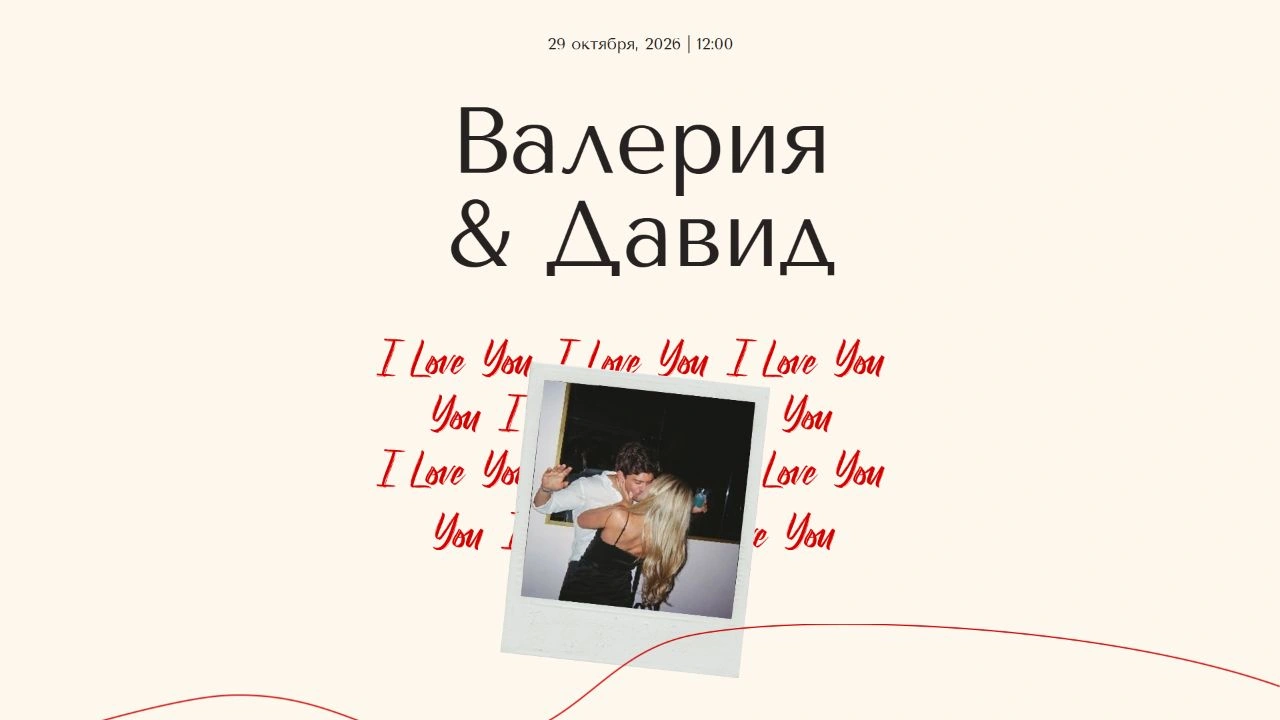
One link instead of a card, a group chat and a spreadsheet
The invitation isn’t a picture — it’s a living page. Everything guests usually text you about is already in it.
A design that fits your day
More than 30 templates with carefully chosen fonts, colours and animation. Change the wording and photos in the built-in editor — no designer needed.
Greets guests by name
Every guest gets their own link, and the invitation addresses them by name. If you allow a plus-one, the guest adds their companion’s name in the RSVP form.
Built-in RSVP
Attendance, plus-one, meal and drink choices, your own questions and song requests. See online wedding RSVP for details.
Schedule and map
Arrival time, ceremony, reception, venue addresses with a map and the dress code — guests can pull up the invitation on the day and find everything themselves.
A gift list without duplicates
Guests mark “I’ll get this one”, so nobody else picks the same gift. For cash gifts there’s an envelope with your payment details.
Check-in and seating
On the day, guests scan a QR code at the entrance, type their name and see their table on the floor plan. See the wedding seating chart page.
How to make an online wedding invitation
From an empty account to links sent out — in one evening.
Create your wedding
Add your names, date and venue. They are filled into the invitation automatically.
Pick a design
Browse the template catalogue and preview each one the way guests will see it, on a phone and on a laptop.
Write your wording
Edit the greeting, schedule and details. Need a starting point? Use one of 30 wording examples.
Add your guests
Type them in or import an Excel or CSV file. Every guest gets a personal link.
Send the links
Copy each personal link and send it by text, messenger or email. Your dashboard shows who has opened the invitation and who has replied.
Online vs. paper invitations
It doesn’t have to be one or the other: many couples hand a printed card to their closest family and send everyone else a link.
| Online | Paper | |
|---|---|---|
| Delivery | A link by text, messenger or email | By hand or by post |
| Changes after sending | Edit once — guests see the new version | Reprint or send a separate message |
| Guest replies | RSVP form inside the invitation | A separate call, card or message |
| Map, schedule, gifts | On the same page | On an insert card or a separate message |
| Keepsake | Stays a link | Stays on the shelf |
Invitations in English or Russian
Each wedding has its own language setting. Set it to English and the guest-facing pages — the invitation, RSVP form and check-in — are shown in English, with dates in English format.
That makes Vmeste handy for international couples and destination weddings: you manage everything from one dashboard, and guests read the invitation in the language you chose.
Frequently asked questions
Do guests need to download an app or sign up?
No. The invitation opens from a link in any browser — on a phone, tablet or computer. Guests don’t need an app or a password.
Can I change the invitation after sending it?
Yes. Edits show up straight away on the same links, so if the arrival time or address changes you don’t need to send new invitations. It’s still worth messaging guests about important changes.
How do I send an online wedding invitation?
Copy the guest’s personal link from your dashboard and send it however you like: text message, WhatsApp, Telegram or email. The link works the same everywhere.
Can a guest bring a plus-one?
Yes. Mark the guest as allowed a plus-one and the RSVP form will ask for their companion’s name. The companion is added to your guest list and can be seated like anyone else.
Can I print the invitation too?
Yes. Besides the online page, the dashboard has a print editor that builds your invitation as a PDF for anyone who prefers paper. The RSVP form stays online.
What happens to the invitation after the wedding?
Ten days after the wedding the event is archived and guest links stop working. Your guest list and RSVPs stay in your dashboard.
Helpful reading
- InvitationsWedding invitation wording: 30 examples
30 ready-to-use examples in every tone, and the details every invitation needs so guests don’t have to ask.
- GuestsHow to collect wedding RSVPs online
Which questions to ask, when to set the RSVP deadline and how to nudge guests who go quiet.
- SeatingHow to make a wedding seating chart
A step-by-step method from guest groups to table cards — plus the etiquette that keeps everyone happy.
Make your invitation tonight
Pick a design, add your wording, and every guest gets a personal link with an RSVP form.